You did everything right.
Created your Google Business Profile. Filled in the details. Requested verification.
Then... nothing.
The postcard never came. Phone verification isn't available. You're stuck in limbo, unable to complete setup.
Welcome to the frustration of Google Business verification Nigeria.
Here's what's actually going on—and how to fix it.
Why Google Requires Verification
Before we solve the problem, let's understand it.
Google shows your business to thousands of potential customers. They want to make sure:
- - Your business actually exists
- - You're actually located where you say
- - You're authorized to manage the listing
Verification proves all three. Without it, your listing stays invisible or unmanaged.
It's frustrating, but the intention is good: protect searchers from fake businesses. For businesses in Nigeria, this process has unique challenges that we'll address in this guide.
The Postcard Problem in Nigeria
The most common verification method is a mailed postcard with a 5-digit code.
How it's supposed to work:
- 1. You request verification
- 2. Google mails a postcard to your address
- 3. Postcard arrives in 14 days
- 4. You enter the code
- 5. Done
How it actually works in Nigeria:
- 1. You request verification
- 2. Google mails a postcard from abroad
- 3. Postcard enters Nigerian postal system
- 4. Postcard gets lost, delayed, or never arrives
- 5. You wait. And wait. And give up.
The reality: Nigerian postal infrastructure is unreliable. International mail to business addresses often doesn't arrive. Rural areas are worse. Even in cities like Abuja and Lagos, postcards frequently go missing.
Google doesn't have a Nigeria-specific solution. They treat Nigerian addresses like American or European ones. That's the core problem.
Verification Methods Available
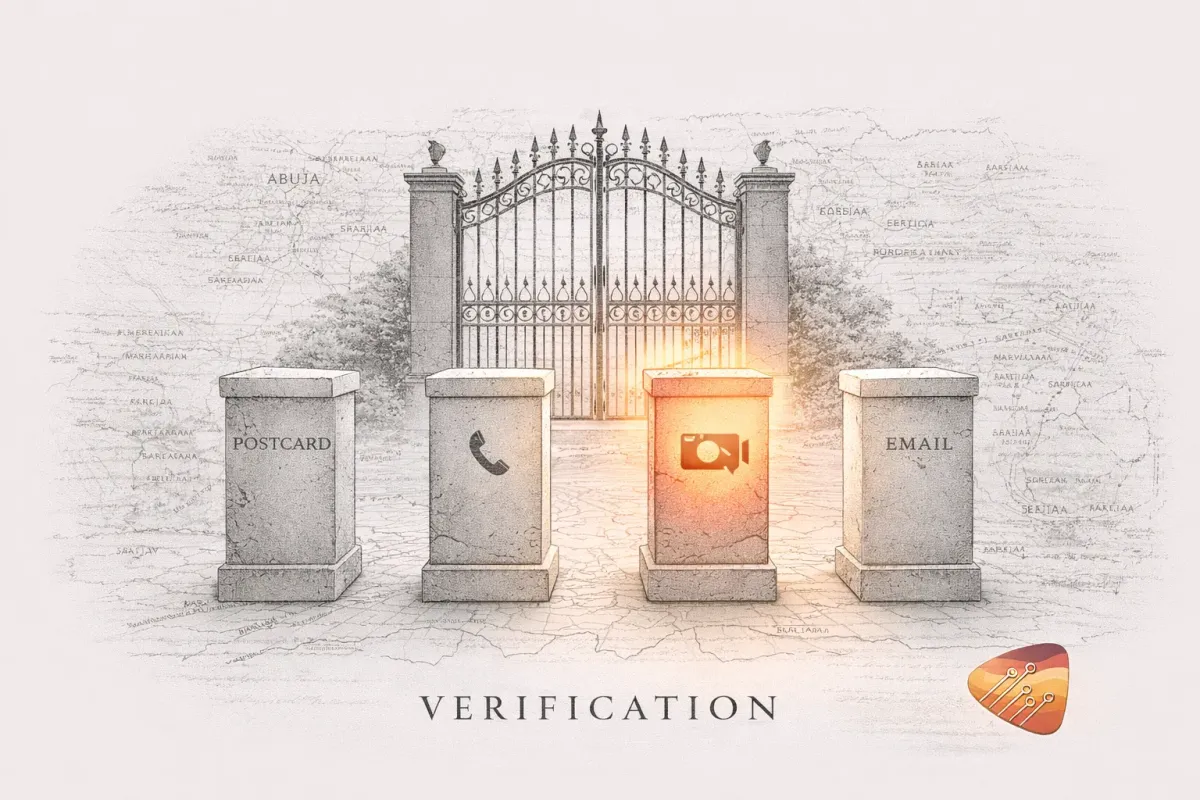
Google offers several verification options, though not all are available for every business:
1. Postcard by Mail
Status in Nigeria: Available but unreliable Time: 14-21 days (sometimes never) Success rate: Low
Tips to improve chances:
- - Use a business address, not residential
- - Include suite/office numbers for clarity
- - Alert your reception/security to expect it
- - Check daily for 3 weeks
- - Request a replacement if nothing arrives after 14 days
2. Phone Verification
Status in Nigeria: Sometimes available Time: Instant Success rate: High (if offered)
This isn't available for all businesses. Google decides based on factors including:
- - How long the business has been at that address
- - Whether Google already has data about the business
- - The business category
If it's available: Use it. Don't bother with the postcard.
If it's not showing: You might need to wait. Sometimes phone verification becomes available after the postcard option fails multiple times.
3. Email Verification
Status in Nigeria: Rare Time: Instant Success rate: High (if offered)
Usually only available for certain business types. If you see it, use it.
4. Video Verification
Status in Nigeria: Increasingly available Time: 1-5 days for review Success rate: Good
Google asks you to record a video showing:
- - Your business exterior (including signage)
- - Your business interior
- - The surrounding area
- - Your business documents/licenses
They review the video and verify you based on it.
This is often the best option for Nigerian businesses when postcard fails.
5. Google Search Console Verification
Status in Nigeria: Sometimes available Time: Instant (if you have Search Console set up) Success rate: Good
If your website is already verified in Google Search Console, Google might offer to verify your business profile through it.
What to Do When Google Business Verification Fails
Here's the actual playbook:
Step 1: Try the easiest option first Check what verification methods are offered. If phone or email is available, use it.
Step 2: If only postcard, try it once Request the postcard. Wait 14 days. If nothing arrives, request a new code.
Step 3: After 2 failed postcards, try video Go back to your profile. See if video verification is now available. Google often enables it after postcard failures.
Step 4: Contact Google Support In your Google Business Profile dashboard, look for "Help" or "Support." Explain the situation. Ask for alternative verification.
Step 5: Be patient and persistent Some businesses get verified in days. Others take weeks. Don't give up.
Common Mistakes That Cause Rejection
If verification keeps failing or getting rejected, check these:
Wrong address format Be specific. "Wuse 2" isn't enough. Include building name, suite number, street name.
Address doesn't match other listings Google cross-checks. If your Facebook says "Suite 5" but you told Google "Suite 15," red flag.
Business name too different from signage If your sign says "Glamour Salon" but you registered "Glamour Hair & Beauty Studio Ltd," there might be a mismatch.
Category mismatch Your business category should match what you actually do at that location.
Already verified by someone else If a former owner, employee, or random person claimed the listing, you need to request access or claim the business.
The Video Verification Script
If you're doing video verification, here's what to show:
1. Start outside
- - Show the building exterior
- - Capture your signage clearly
- - Show the street/surrounding area
2. Go inside
- - Show the interior of your business
- - Capture reception, service area, equipment
- - Show any interior signage
3. Show documents
- - Business registration certificate
- - Any licenses displayed
- - Utility bill showing the address (optional but helps)
4. Keep it simple
- - 60-90 seconds is enough
- - No narration needed
- - Steady camera work
- - Good lighting
Submit and wait 1-5 days for review.
When to Partner for Expert Verification
DIY verification works for many businesses. But if you've been stuck for weeks, it's time for expert guidance.
We partner with Nigerian businesses on verification strategy regularly. We understand:
- - Which methods work best in which cities
- - How to format addresses for Nigerian postal systems
- - What triggers Google to offer alternative methods
- - How to appeal rejected verifications strategically
If you've tried multiple approaches without success, we typically resolve it within a week.
Still Challenged by Google Business Verification?
You've read the guide. You've tried the methods. You need expert guidance.
Let's discuss your specific situation. We'll outline exactly what's needed—or we'll partner with you to resolve it.
Already Verified? What's Next
Once you're verified, the real work begins. A verified but unoptimized profile is like an open shop with no products displayed.
How to Set Up Google Business Profile in Nigeria will show you how to optimize every section and start getting customers.
Google Visibility Checklist - Use our complete optimization checklist to ensure nothing is missed.
Our partners include:
- - Professional service firms (legal, medical, consulting)
- - Multi-location retail and service businesses
- - Growing franchises and established brands
- - Business owners committed to market leadership
We don't compete on price. We compete on results.
Book a Growth Diagnostic | Insights
Related Resources
- - Why Your Business Is Not Showing Up on Google — 7 reasons and fixes
- - How to Get Google Reviews — Why reviews matter and how to get them